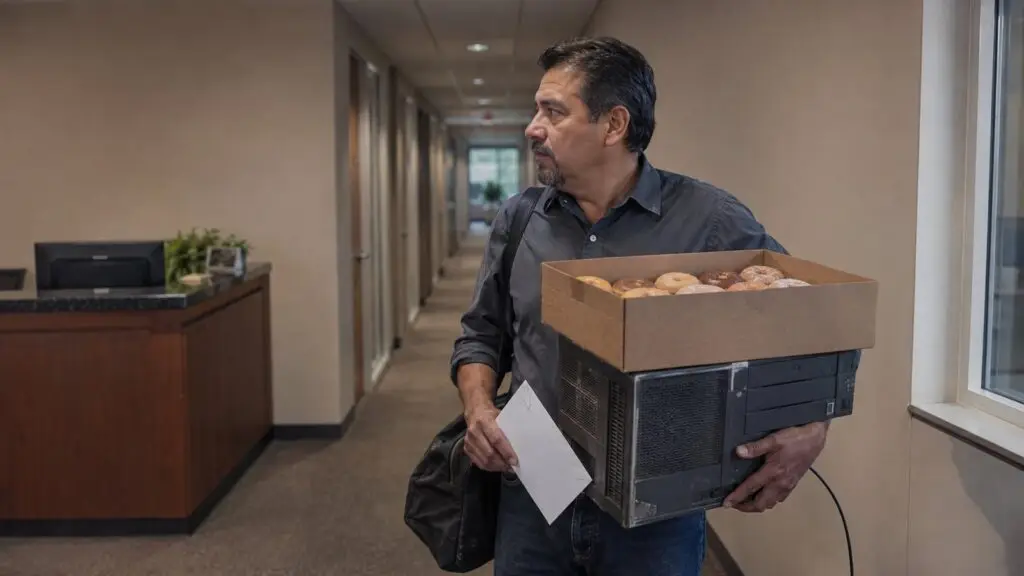
“We already have an IT guy” is the most common answer in managed IT sales, and it’s usually true. What it tells you is who gets called. It doesn’t tell you what is covered.
Call business owners about managed IT and you’ll hear the same sentence more than any other: we already have a guy. It’s usually true. Every company that has been running a few years has computers, and somebody keeps them working. Sometimes that’s one person on payroll who also handles the phones and the copier contract. Sometimes it’s a shop that comes out when something dies. Sometimes it’s whoever on staff is best with computers.
All of that describes a phone number. The work itself is a much longer list, and the providers who win these accounts are the ones who find the parts of it nobody has claimed.
In short
- “We already have an IT guy” tells you who gets called when something breaks. Almost every company can name that person. Almost none can list what is actually covered.
- Don’t quote a downtime statistic. Ask what has already gone wrong, in projects, rework and waiting, and write down the number they give you.
- The cyber insurance renewal already asked your best discovery questions, in writing, and the owner had to answer them.
Why “we already have an IT guy” doesn’t end the call
A company’s IT work isn’t one job. Over a year it can include day-to-day help desk, a server past vendor support, machines still running an operating system Microsoft stopped patching, license counts nobody has reconciled since the last hire, a backup that has never been restored, and a cyber insurance questionnaire asking about controls nobody has set up.
Whoever holds the role probably does some of that. It’s rare for one person to do all of it, want all of it, and have room for it, and rarer still when IT is the second half of a job title. Blame is beside the point. There are only so many hours in a week, and nobody stays current on identity, networking, backup, security, licensing and hardware planning while also resetting passwords and clearing a paper jam.
So the sentence tells you who gets called. It doesn’t tell you what is covered. Your job on the call is to find the piece nobody owns.
Four questions that keep the door open
01
Ask whether it’s a person or a shop
“Got it, is that someone on your team, or a company you call?” The answer changes everything after it. A person on payroll has vacations and a ceiling. A shop that bills by the visit has no reason to prevent anything. Those are two different sales.
02
Ask about the restore test
“Has anyone restored from your backup on purpose this year, and is the date written down?” That’s what the insurance renewal is actually asking. If the answer is no, you just found your scope.
03
Ask who covers the gap
“When your IT person is away and something goes down first thing in the morning, who does your staff call?” Often, nobody. Offer to be the after-hours number and the escalation above day-to-day support.
04
Ask what would get you a shot
“Fair enough. If you ever did look at somebody else, what would make you take the call?” Most owners will just tell you. Now you have their actual criteria instead of your guess at them.
None of these ask the owner to agree that their current setup is failing. Each one puts something next to what is already there.
Fill the calendar
Abstrakt sets appointments with the owners, controllers, and operations managers who decide what IT gets bought, so your team spends its time running assessments instead of hearing “we have a guy” on the phone. We work with one managed IT provider per target region. The assessment, the number, the proposal, and the contract are yours.
What in-house IT covers, and what usually goes uncovered
| Work | Usually covered in house | Your opening |
|---|---|---|
| Day-to-day help desk | Yes | Overflow and after hours |
| Backup restore testing | Not usually | Run the first real restore |
| Multi-factor sign-in | On for some people | Enforce it for everyone |
| Machines still on Windows 10 | Known about | Price the upgrade |
| Server past vendor support | Known about | Write the plan and the number |
| License reconciliation | Not usually | Find what they’re overpaying |
| After-hours and vacation cover | Not usually | Be the second number |
| Cyber insurance questionnaire | Not usually | Answer it with them |
| Documentation and passwords | In one person’s head | Document it and hand it back |
Owners don’t know what “managed IT” includes until somebody names it. Read the left column out loud on a call and the answer to “we already have an IT guy” changes on its own.
The last row is the one owners feel fastest. Ask who else can get into the firewall, the domain registrar and the backup console if the person who handles IT is unreachable for a week. The pause before the answer is the whole conversation.
Put a number on it, and make it theirs
The published downtime figures are all over the place. Depending on whose study you read, an hour of downtime costs a small business anywhere from about a thousand dollars to several hundred thousand, and the figure this industry quotes most often traces back to a Gartner note published in 2014.
Most owners have never seen any of it, so the statistic isn’t the problem. The problem is that an average describes a thousand companies and none of them is theirs. An owner can wave off a number you read somewhere. They can’t wave off their own arithmetic.
The catch is that “what would downtime cost you” is still too big a question to answer cold. Most owners have never priced it, and a hard outage isn’t even the way technology usually shows up on their books. It shows up as projects running late, as work done twice, as people waiting. Ask about the things that have already happened to them instead.
| Ask this | What it puts a number on |
|---|---|
| “If nobody could log in tomorrow morning, how many people stop working?” | Idle payroll, counted in their own headcount |
| “What is the last project that slipped for a technical reason?” | A delayed opening, a delayed hire, a launch that moved |
| “Does anyone here key the same information into two different systems?” | Rework, usually hours a week that nobody has added up |
| “When a laptop dies, how long before that person is working again?” | Replacement lag nobody has ever timed |
| “How many of these end up on your desk?” | The owner’s own hours, which is the one they feel |
You’re not fishing for a precise figure. You’re listening for the one they answer fastest and with the most detail, because that’s the one that already irritates them. Follow that one and leave the rest.
If the answer is a shrug, do the arithmetic out loud with them instead of for them. Twelve people who can’t work, at roughly what an hour of their time costs, for the half day it took last time. An owner who watches you build that number owns it in a way they never own a number you brought with you.
Write down what they say and use their words for the rest of the process. It belongs in the proposal, in the follow-up, and in the sentence that opens your next call with them. Once their own figure is on the table, the published range is worth mentioning, because by then it lands as context instead of a sales prop, and it usually makes their number look conservative.
The cyber insurance renewal is doing your qualifying for you
This is the part most reps leave on the table. Every company carrying a cyber policy fills out a renewal questionnaire, and carriers have spent the last few years turning that form from a checkbox exercise into an evidence exercise. The owner has already been asked your best discovery questions, in writing, by somebody they can’t ignore.
Three of those questions open a scope on their own.
Multi-factor sign-in. Carriers no longer ask only whether multi-factor is turned on. They ask whether it’s enforced for every user, every administrator and every remote connection, which is a different question and often a different answer. CISA puts the reason plainly: “Users who enable MFA are significantly less likely to get hacked.” An owner who can’t say whether it covers everyone has just told you where to start.
The restore test. Backups run on a schedule. Whether they actually restore is a separate question, and carriers increasingly want a restore somebody performed on purpose, with a date attached. “We have backups” isn’t an answer to that question, and the owner would rather learn that from you than at renewal.
Unsupported software. Windows 10 reached end of support on October 14, 2025. Machines still running it are either enrolled in Microsoft’s paid Extended Security Updates program or receiving no security patches at all. For businesses, ESU started at $61 per device for Year One, and Microsoft states the price “doubles every consecutive year, for a maximum of three years.” The years are also cumulative: a company that skipped Year One has to buy it before it can buy Year Two. Year Two begins in November.
That last one is worth knowing cold, because it’s the rare question with a real deadline attached that has nothing to do with your quota. You don’t need to know the company’s carrier or read their policy. You need three questions in plain language: is multi-factor actually on for everyone, when did somebody last restore from the backup on purpose, and what is the plan for anything still running Windows 10. An in-house IT person who is good at keeping people working may never have been asked to produce evidence for any of it, because producing evidence is a different job from keeping people working.
Don’t criticize whoever is already there
Search this objection and you’ll find article after article from managed IT providers explaining why an IT guy isn’t good enough. Those are written to be read by owners, and owners don’t read them. What owners hear is a stranger telling them their judgment was bad.
The owner hired that person, or picked that shop, and kept them. Telling the owner their IT is behind, slow, or out of its depth tells the owner they made a poor call. They will defend the choice, and they will remember who made them do it.
Closes the door
- “Whoever set that up did it wrong”
- “One person can’t handle a network this size”
- Anything that makes the owner defend their choice
Keeps it open
- “Sounds like you have someone solid”
- “I’m not trying to replace anybody”
- Then one of the four questions above
You’re describing a capacity problem, and owners hear the difference between that and an accusation immediately. When the setup finally stretches past what it can hold, the provider who stayed respectful gets the call.
What to do with this
Put the four questions where you can see them. Whether it’s a person or a shop, the restore test, who covers the gap, what would get you a shot. Say the one that fits.
Learn the three insurance questions cold. Enforced multi-factor, a dated restore test, and a plan for anything still on Windows 10. They qualify an account faster than any discovery script, and none of them sound like selling.
Get one number out of every call. Idle people, a slipped project, work done twice, whatever they answer fastest. It costs one question and it changes every conversation after it.
Look the company up first. New hires on the job boards, a second location, a new line-of-business system. One specific observation turns “we have a guy” into “nobody has mentioned that to me.”
Ask when they plan. Some companies set the IT line months ahead, some decide the week something breaks. Find out which, then be in front of them before that moment instead of after it.
See it in your market
MSP lead generation covers who we call, what a set appointment looks like, and what you keep. Or read why your number should be in the budget before the proposal.
When to walk away
Some owners have an IT person they would never let go, and they should not. Thank them, ask to be the after-hours name, and move on. But “we already have an IT guy” usually opens the conversation instead of closing it. The setup has a shape. Find the work outside it.
Frequently Asked Questions
What do you say when an owner says “we already have an IT guy”?
Agree that they do, then find the work next to it. Ask whether it’s an employee or an outside shop, name what in-house setups rarely cover, such as a dated restore test or enforced multi-factor sign-in, offer to cover the after-hours gap, and ask what it would take to earn a look. Don’t ask the owner to agree that their current setup is failing.
What does co-managed IT support mean for a small company?
An outside provider works alongside the company’s existing IT person or break-fix shop instead of replacing them. Typically the provider takes the after-hours number, the escalations above day-to-day support, and vacation and sick cover, while the internal person keeps the institutional knowledge and the relationships.
How much does IT downtime cost a small business?
Published estimates range from roughly a thousand dollars an hour to several hundred thousand, and the figure quoted most often traces back to a 2014 Gartner note, so no published average describes a specific company. Build the number with the owner instead. Ask how many people stop working when nobody can log in, what the last project was that slipped for a technical reason, whether anyone keys the same information into two systems, and how long it takes to get someone working again after a laptop dies. Downtime is only one line of it, and usually not the one they feel most.
Should you criticize a company’s existing IT provider?
No. The owner chose that person and kept them, so criticism reads as an attack on their judgment and they will defend the choice. Describe a capacity problem instead. Say the setup sounds solid, say you’re not trying to replace anybody, and move to the work nobody is covering.
What happens to business computers still running Windows 10?
Windows 10 reached end of support on October 14, 2025. Machines still running it get no security updates unless they’re enrolled in Microsoft’s paid Extended Security Updates program, which began at $61 per device for Year One for businesses and, in Microsoft’s words, “doubles every consecutive year, for a maximum of three years.” The years are cumulative, so a company that skipped Year One must buy it before buying Year Two.
What IT work does an internal person or break-fix shop usually not cover?
A restore test with a date attached, multi-factor sign-in enforced across every user and every remote connection, license reconciliation, a written plan and a number for unsupported operating systems and servers, after-hours and vacation cover, documentation and credentials stored somewhere other than one person’s head, and the controls a cyber insurance questionnaire asks about. Any one of them is a scope.
Keep going
- MSP lead generation
- Before the managed services proposal
- Outsourced SDR services
- Cold calling services
- How to write a cold call script
- What to say when you cold call a facility manager
About this article
Jeff Winters is Chief Executive Officer at Abstrakt. Reviewed by Neil Erker, Chief Marketing Officer. Abstrakt sets appointments for managed IT providers and commercial contractors across the trades, and the patterns here come from that calling.

Abstrakt is a technology-enabled outsourced sales development company that books 100,000+ meetings a year for 1,500+ clients.